15 Questions Every School Should Ask Before Buying RFID School Card Software
July 9, 2026 in Blog
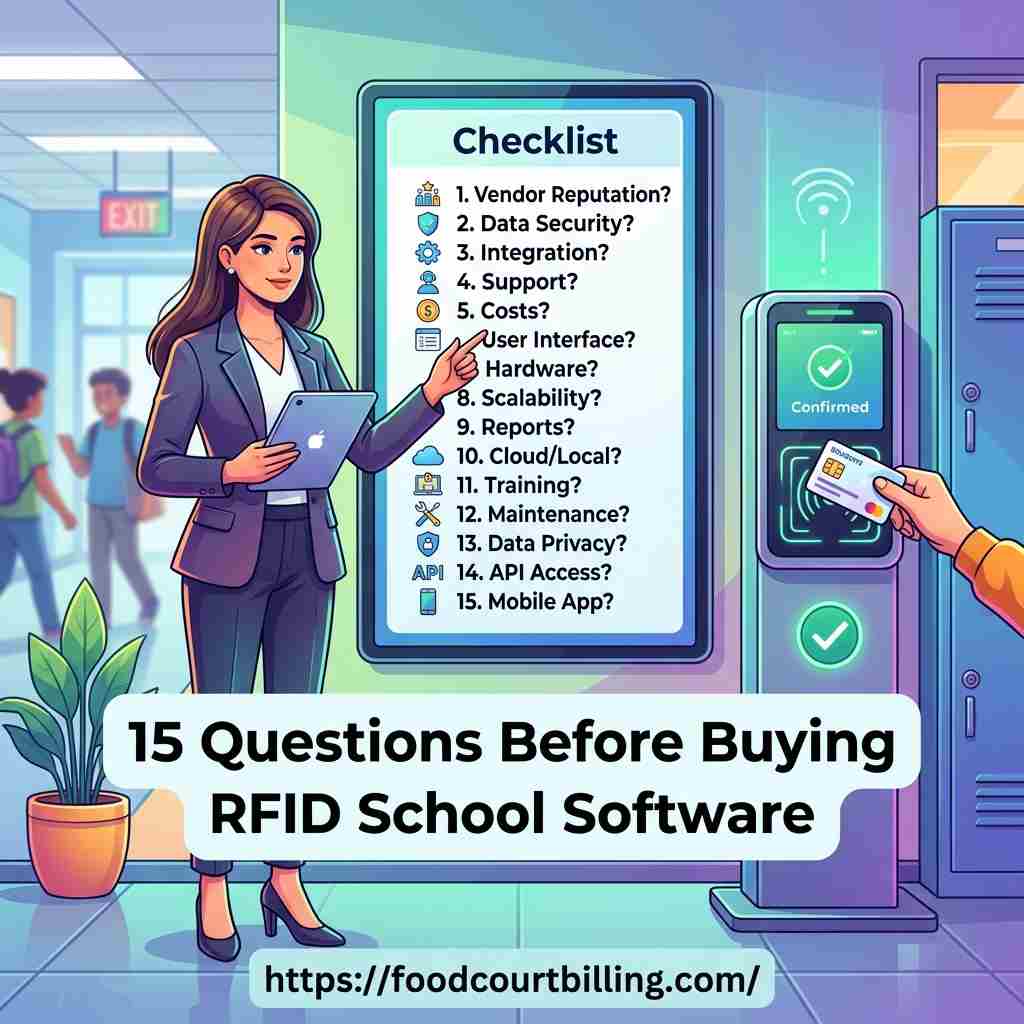
Transitioning to a cashless cafeteria system using RFID technology is a major upgrade for any educational institution. Closed-loop smart cards streamline checkouts, eliminate cash handling errors, and give parents clear visibility into their children's dining habits. However, with many software vendors offering different architectures, making the wrong choice can lead to lost revenue, system downtime, and disappointed parents. To make an informed decision, schools must ask the right questions during the evaluation process.
For school administrators, cafeteria contractors, and board members looking to purchase a cashless RFID card system, having a solid evaluation checklist is essential. To explore our high-speed, secure school lunch card software, visit our dedicated Cashless School Card page.
Section 1: Architecture, Reliability, & Speed
During short recess lunch breaks, checkout terminals must process transactions rapidly. The first set of questions targets how the software handles peak traffic loads:
- Is the system offline-first? A cloud POS will halt during internet outages. An offline-first local network server is crucial, ensuring card checkouts process in under a second even without internet access.
- What is the average checkout time? The transaction tap speed should take less than a second. Basic barcode systems or online credit card processing take longer, backing up lines.
- How is the local server database backed up? Regular automated backups prevent data loss in the event of local hardware issues.
- Can the software support multiple canteen and bookshop terminals simultaneously? A centralized local server should sync all POS counters (cafeteria, tuck shop, uniform store) in real time.
Section 2: Security, Auditing, & Anti-Fraud Features
To protect parents' preloaded funds and prevent cafeteria revenue leakage, security is key. Ask these questions regarding data security and cash handling:
- Does the POS system feature photo-verification? Tapping an RFID card should display the student's face on the cashier's screen, preventing card trading and unauthorized card sharing.
- How is card balance data secured? Balances should be encrypted both in the central database and on the smart card itself to prevent unauthorized data tampering.
- Is the software a completely closed-loop system? Cash collections must only occur at central recharge desks, eliminating cash drawers from food counters to prevent employee theft.
- Does the software generate automated vendor sales reports? Real-time logging of transactions by vendor, timestamp, and item is crucial for accurate catering settlements.
Section 3: Parent Involvement & Recharges
Cashless systems are only successful if parents find them easy to use. Ask these questions regarding parental features:
- Does the software include a secure online parent portal? Parents must be able to log in to review transaction histories and monitor what their child is purchasing.
- What online recharge methods are supported? Integration with popular payment methods (like UPI, credit/debit cards, net banking) makes recharging simple and fast.
- Can parents set strict daily spending limits? This prevents students from spending their entire weekly allowance in a single day.
- Is there a system for low-balance alerts? The software should automatically email or text parents when the card balance falls below a specific threshold (e.g. $5).
Section 4: Hardware Compatibility, Training, & Support
Finally, understand what it takes to deploy the software and maintain it over time:
- Is the software compatible with existing school computers? Choosing software that runs on standard Windows POS terminals prevents unnecessary hardware expenses.
- Does the system support food allergy alerts? The POS screen should display warning pop-ups upon card tap if a student has registered food sensitivities (like peanut or dairy allergies).
- What kind of technical support is provided? Verify if the vendor offers dedicated on-site or remote support during school hours to resolve any system issues quickly.
Select the Right Cashless System
Advance Technology Systems (ATS) provides offline-first RFID school card software, card printers, and parent portals, backed by reliable support.
Conclusion
Choosing an RFID school card system requires analyzing speed, offline reliability, parental features, and backend auditing. By asking these fifteen questions during vendor evaluations, your school can select a secure, robust cashless solution that operates smoothly and protects cafeteria revenue.
FAQs: RFID School Card Software Selection
- Q1: Why is local offline-first server integration important when buying school card software?
- A: School lunch breaks are highly compressed (15-20 minutes). If a cloud-based POS experiences network downtime or internet drops, billing stops entirely. An offline-first local network server processes card taps in under a second with 100% uptime, ensuring food service never stalls.
- Q2: How does the system prevent unauthorized student card sharing?
- A: A secure system displays the student's photo and profile details on the POS terminal screen instantly when their RFID card is tapped. This allows the cashier to perform quick visual verification and prevent card trading.
- Q3: Does the school card software integrate with existing school ERP systems?
- A: Yes, a professional solution should offer API integrations to sync student database records, admissions data, and class details directly from your existing school ERP software.
- Q4: Can parents set daily spending limits and monitor child purchases?
- A: Yes. The parent portal allows parents to review historical transaction receipts, set strict daily/weekly spending caps, and restrict specific food groups (e.g. junk food) due to health concerns.
- Q5: How do parents recharge their children's school RFID cards?
- A: Parents can log in to a secure online parent portal to top up card balances instantly using UPI, debit/credit cards, or net banking.
- Q6: What happens if a student loses their smart card?
- A: The administrator blocks the lost card ID instantly in the central system, protecting the balance, and registers a new card with the student's existing funds transferred over in seconds.
- Q7: Does the system support food allergy alerts for student safety?
- A: Yes. Parents or school nurses can flag specific food sensitivities (e.g., peanuts, gluten, dairy) on the student's profile, triggering an instant warning pop-up on the POS monitor upon card tap.
- Q8: Is there a reporting system for canteen inventory and vendor audits?
- A: Yes. The software tracks ingredient depletion in real time, generates stock reports, identifies top-selling menu items, and audits vendor sales splits, helping canteen operators reduce food waste.
Cashless Card Payment System for Food Court and Canteen
Upgrade your establishment with our Prepaid Card Software and take your business to the next level.